Cancel a Vehicle Access Permit
Note: the cancellation limit for an automatic refund is 2 calendar days prior to the permit start date. For example, if a booking is due to commence on a Saturday, the last opportunity to cancel it and receive an automatic refund is midnight the previous Wednesday.
Our operational policy contains more information about booking cancellations and refunds.
1. To cancel a Vehicle Access Permit, start by signing into your account, either by:
- Go to www.qld.gov.au/camping and click ‘account’, then ‘sign in’; or
- Click ‘manage my bookings’ link in your VAP confirmation booking email.
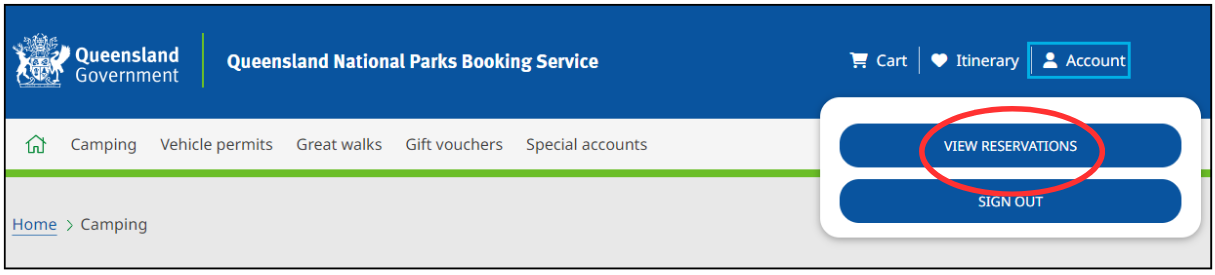
2. Once you have signed in you will be redirected back to the home page. Click on ‘account’ and then ‘view reservations’ where you can view all your bookings.
3. Click on ‘upcoming’ to view all upcoming bookings sorted by date booked.
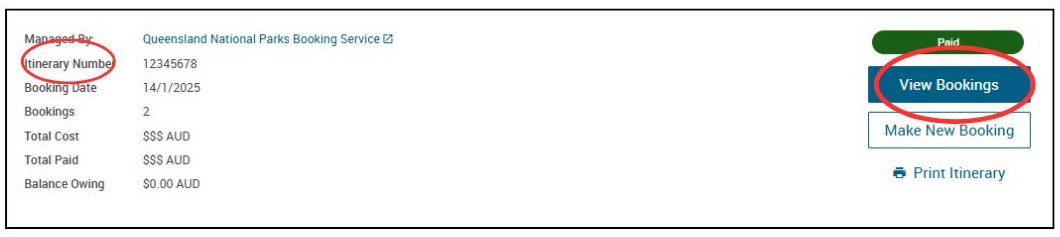
4. Use your booking ‘itinerary number’ to locate the relevant itinerary for the VAP you wish to cancel. Click ‘view bookings’ on this booking.
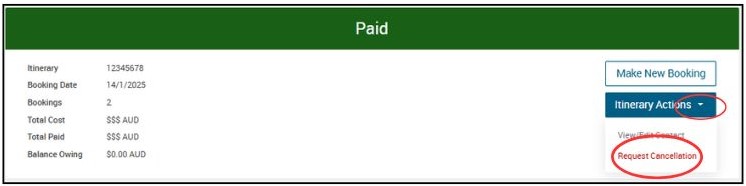
5. On the following screen, click ‘itinerary actions’ then click ‘request cancellation’.
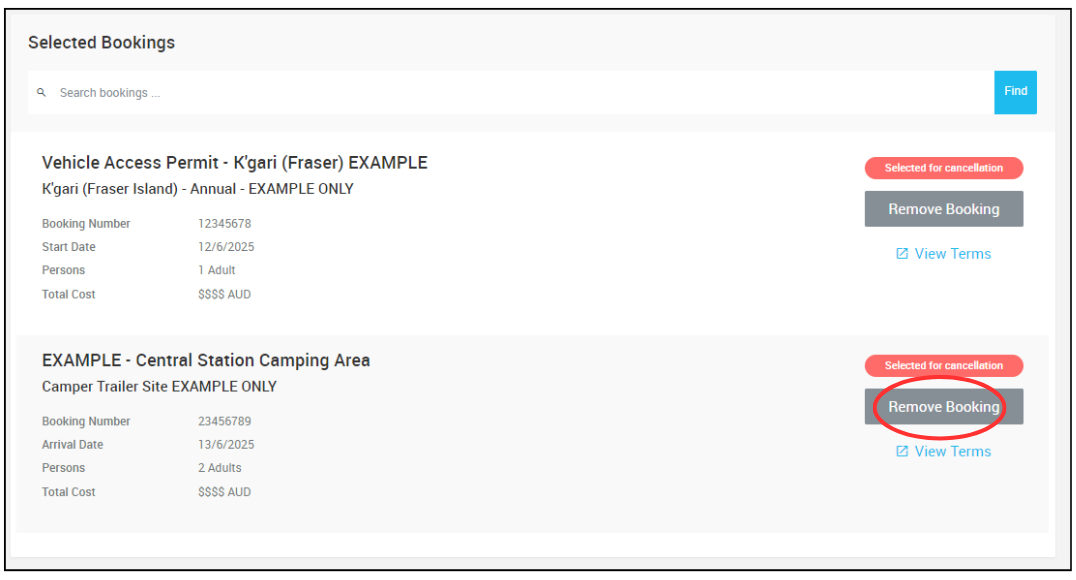
6. A 15min session timer will begin. By default, all bookings related to the itinerary you selected will show as selected for cancellation. You can remove any bookings you don’t want to be cancelled by clicking ‘remove booking’ button.
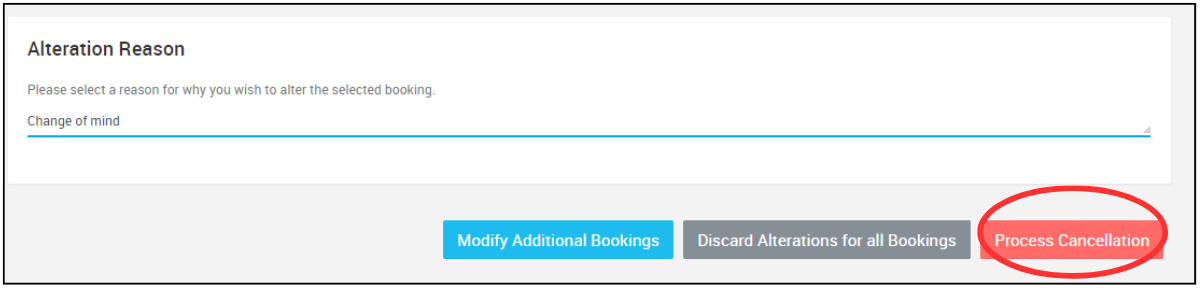
7. When only the bookings you want to cancel are listed, enter your ‘alteration reason’ and click ‘process cancellation’.
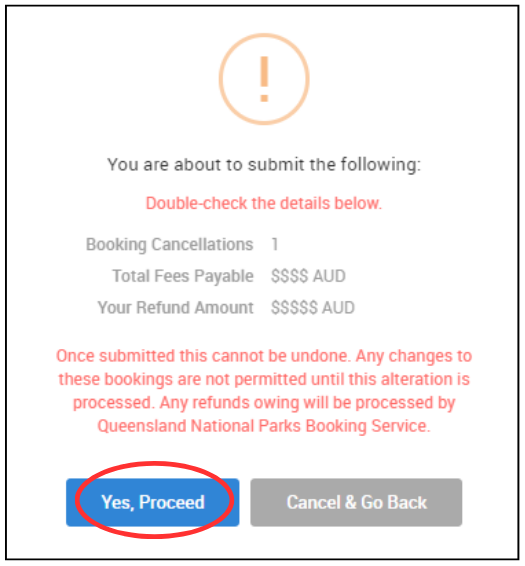
8. On the following pop up you will be asked to confirm the details of your cancellation and advised of the refund amount, if applicable. Click ‘yes, proceed’ to finalise your cancellation.
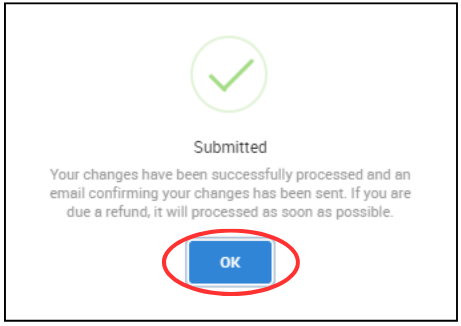
9. The cancellation is now complete, click ‘ok’
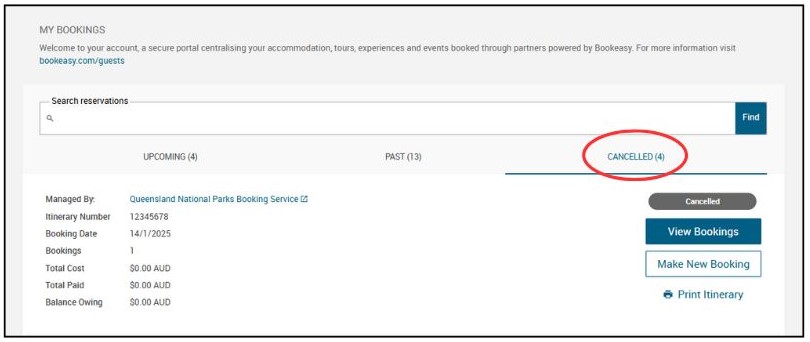
10. Your booking is now cancelled. Your cancelled booking will appear under ‘cancelled’ in the ‘my bookings’ section of your account.
A booking cancellation itinerary will be emailed to you. Any eligible refunds will be processed by QPWS within 30 days of cancellation.