Modify a camping booking
If your plans change, for example you intend to camp for less or more nights than originally intended, modify your booking to reflect this change as soon as possible. If reducing nights, this makes the campsite available for booking by other visitors.
Note: The following conditions apply when you make modifications to your existing camping booking:
- To be eligible for a refund for change of plans etc. refund requests must be made more than 2 days prior to the start date of your permit.
- If unforeseen circumstances, such as closures, severe weather, etc., apply to your booking within 2 days of your permit, or during your stay, you can submit a refund request. All refund requests must be submitted within 28 days of the camping permit end date.
Our operational policy contains more information about booking modifications and refunds.
Modify camping booking
1. Sign into your account, either by:
- going to www.qld.gov.au/camping and click ‘account’ and ‘sign in’; or
- clicking ‘manage my bookings’ link in your confirmation booking email.
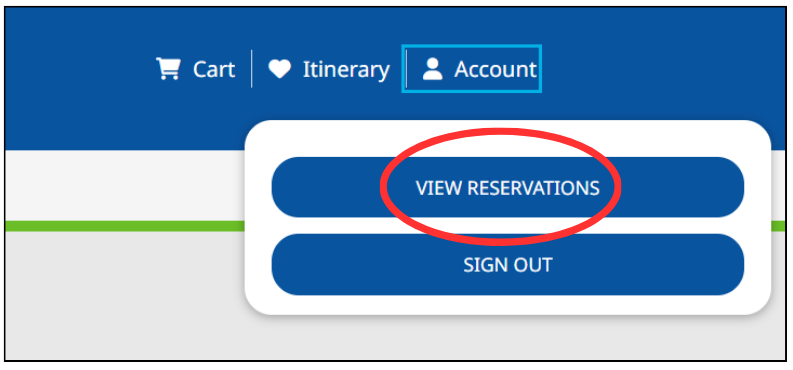
2. Click on ‘account’ and then ‘view reservations’ to access ‘my account’ where you can view all your bookings.
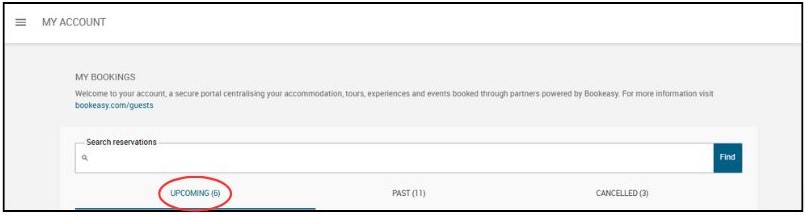
3. Click on ‘upcoming’ to view all upcoming bookings sorted by date booked.
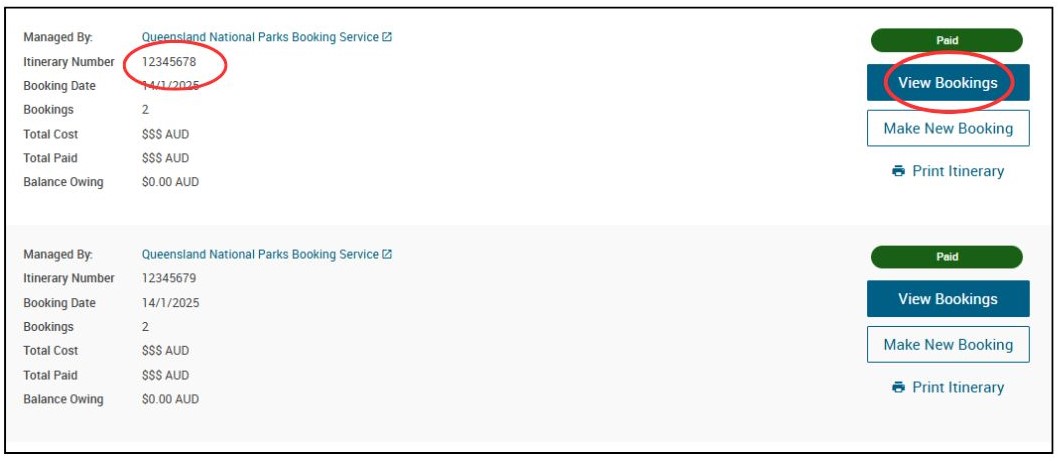
4. Use your booking ‘itinerary number’ to identify the booking you want to modify. Click ‘view bookings’ on this booking.
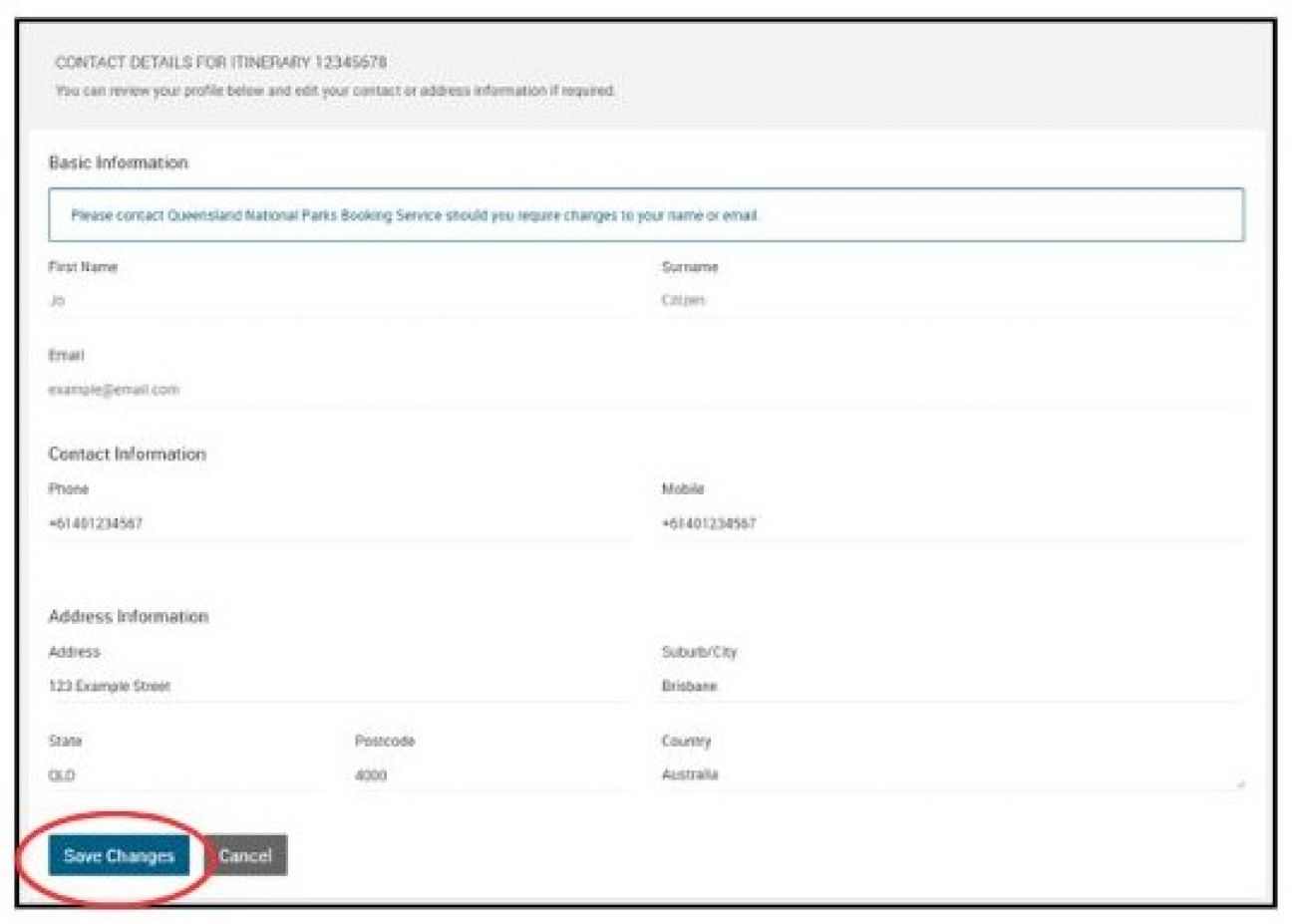
5. To modify the contact details associated with your booking, click ‘itinerary actions’ then ‘view/edit contact’.

a. From the following screen you can change the phone number and address associated with your booking. Make sure to click ‘save changes’ to update your information.
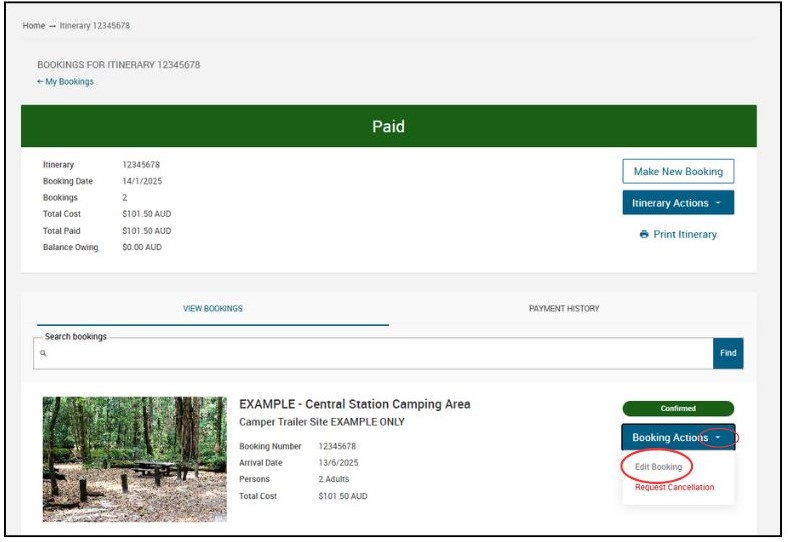
6. To change the booking details (dates, number of persons etc), click ‘booking actions’, then ‘edit booking’.
7. Click ‘edit’ button under relevant heading:
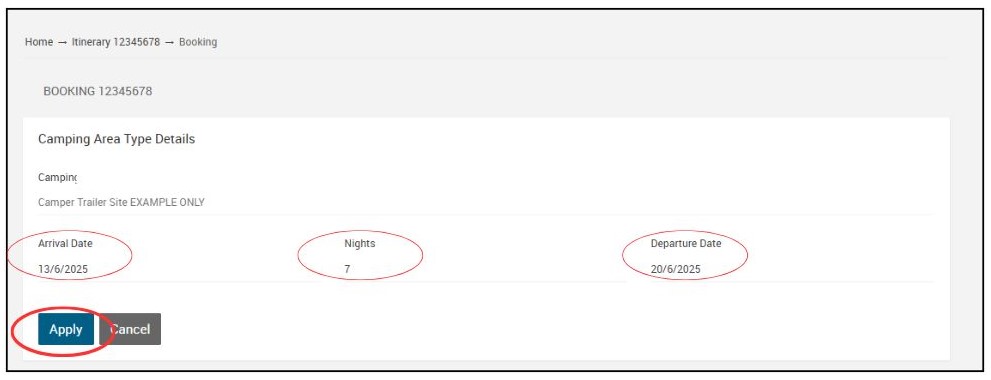
- Camping area type details – to modify arrival and departure dates, number of nights and/or site number (if numbered camping area)
- Number of persons – to modify number of adults, children and/or infants
- Booking questions – to modify number of vehicles and/or vehicle registration numbers
8. Click in required fields to update where necessary and click ‘apply’ to update details for that section of the booking.
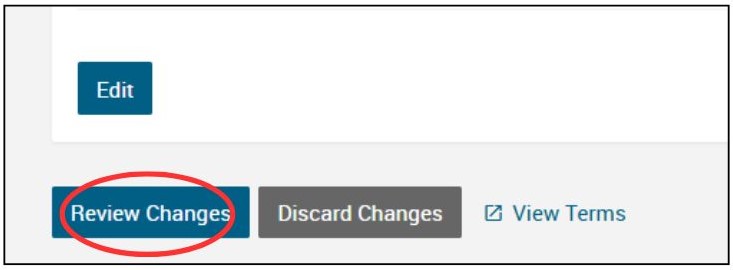
9. A 15min session timer will begin, during which you must review and confirm your changes. Once you’ve modified all necessary sections of the booking, scroll down and click ‘review changes’.
10. Ensure all booking details are correct. If terms and conditions have changed, you will be prompted to accept these by clicking on tick box.
Note: if your modification results in an increase to the cost of your booking then you’ll get a message about being required to pay the full outstanding balance of your itinerary.
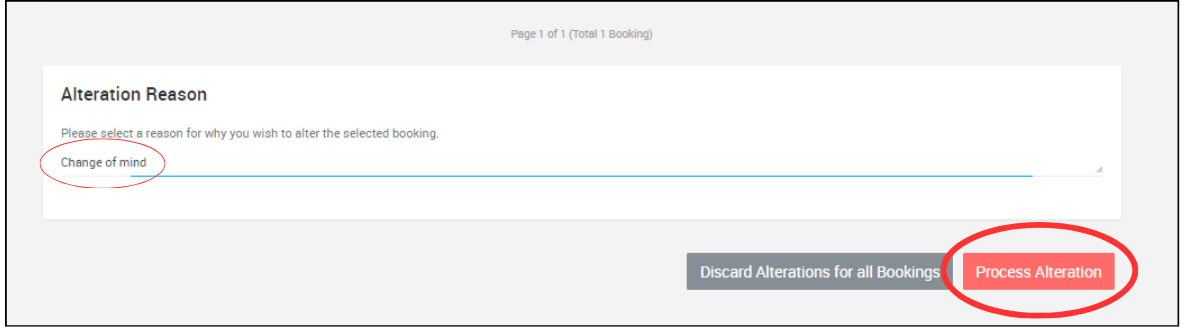
11. Select relevant reason from ‘alteration reason’ dropdown box and click ‘process alteration’. Note: if you choose ‘other’ you will be prompted to type reason.
12. Click ‘yes proceed’ to submit modifications.
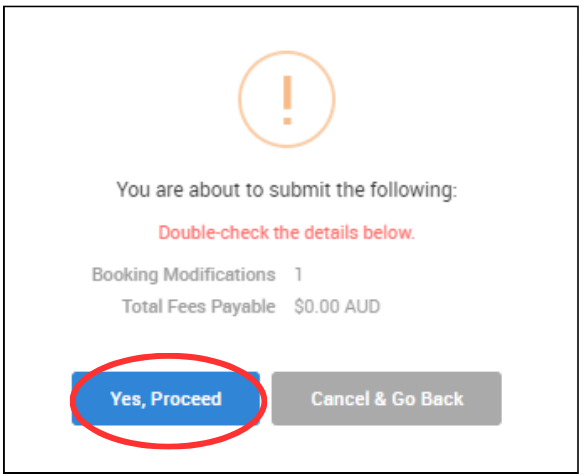
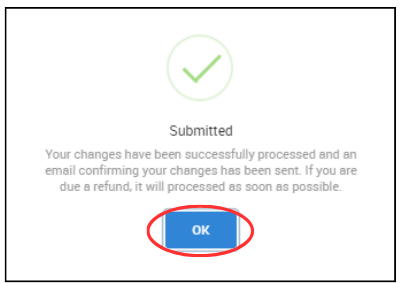
13. The modifications have been made, click ‘ok’.
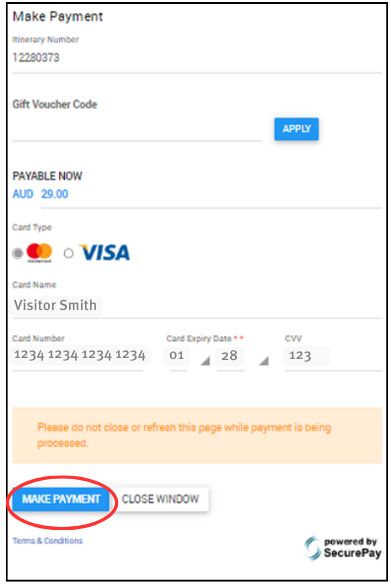
14. If there are additional payments required, you will be prompted to make payment. Enter your payment details. Ensure these details are correct and click ‘make payment’.
You will receive a confirmation email with updated booking details and permit(s). Any eligible refunds will be processed by QPWS as soon as possible.